Family
Up to 3 children
€5.99/month
or €44.99/year
Meet ScreenDuty
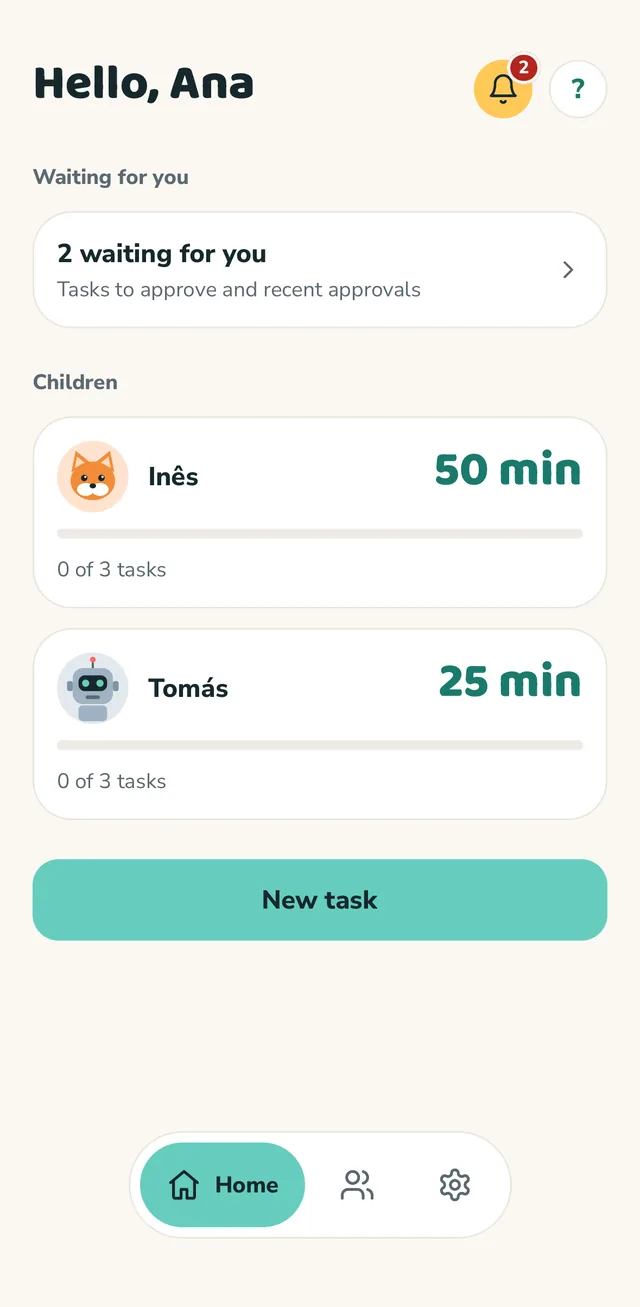
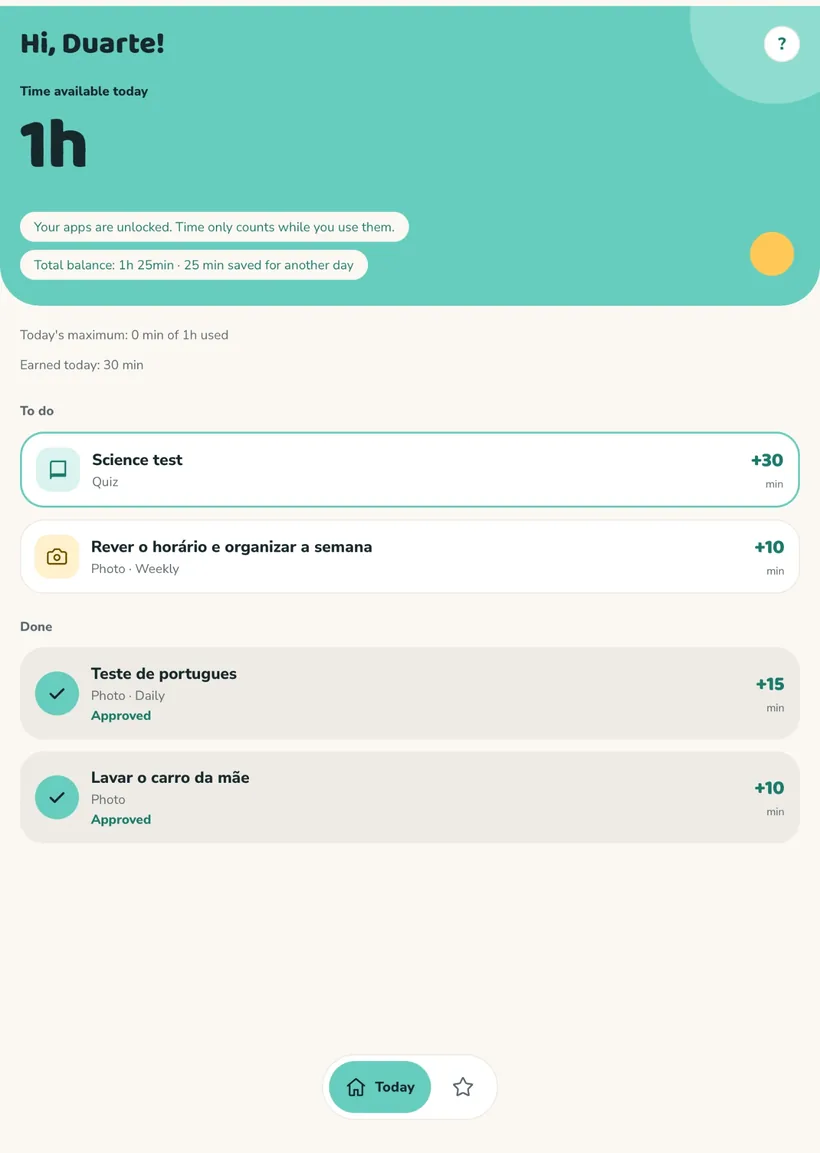
Their apps stay locked until today's tasks are done. Snap a photo of their notes and AI writes a quiz to check they really studied. Pass it, earn minutes. No more arguing.


For iPhone, iPad and Android.
How it works
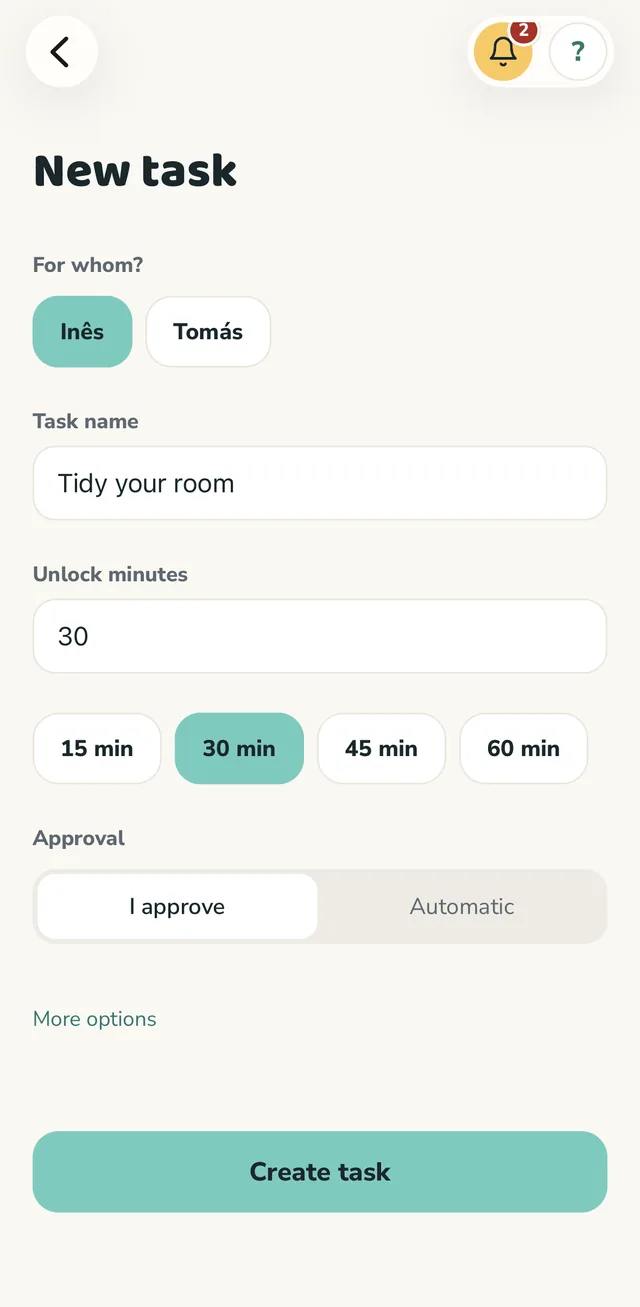
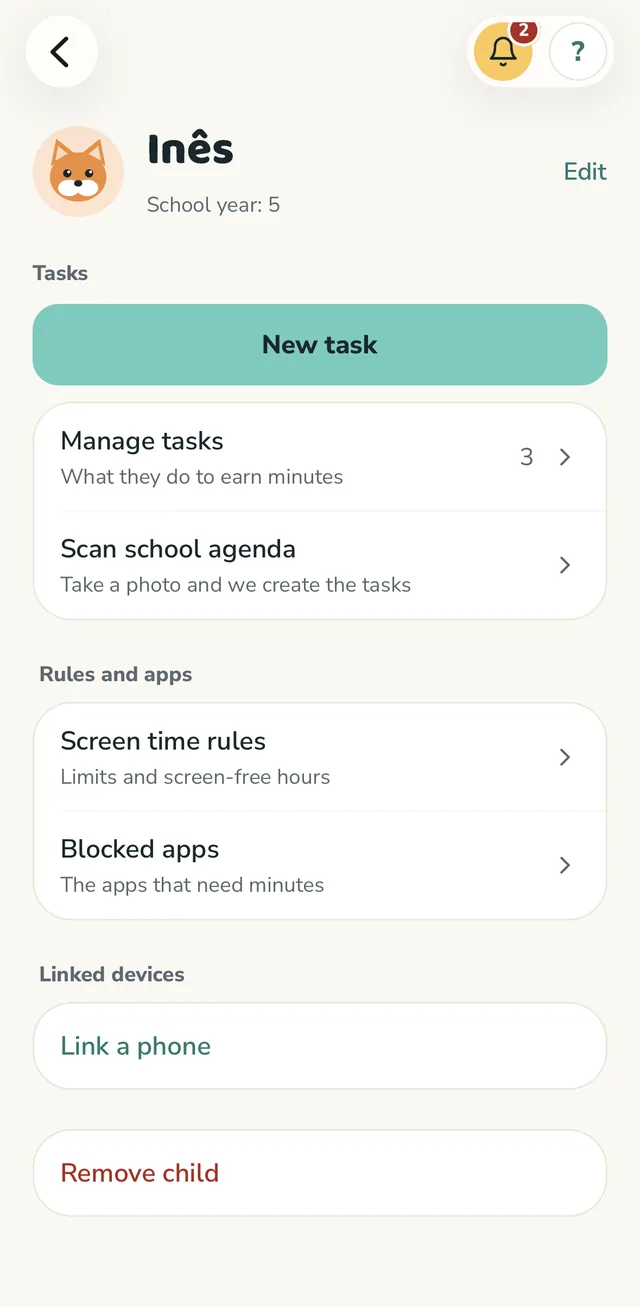
Homework, reading, a tidy room. Choose how many minutes each one is worth, once.
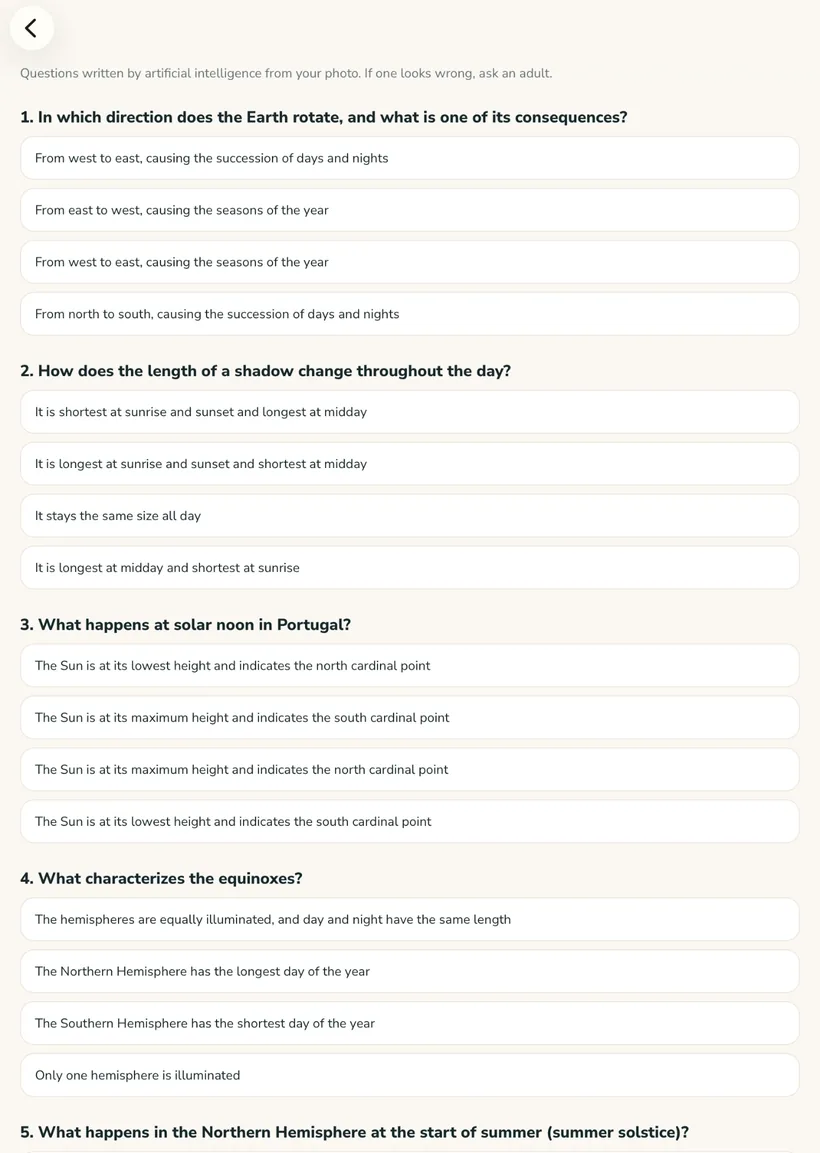
A quiz on what they studied, or a photo taken with the app's own camera.
Approved in one tap, or automatically. When time's up, the apps lock again on their own.
Study quiz AI
Your child photographs the page they studied. ScreenDuty writes a short quiz for their school year, so the minutes come from learning, not from saying "I'm done".
School planner AI
Take one photo of the timetable or the homework planner. AI suggests the week's tasks. You check them, change anything, and save.
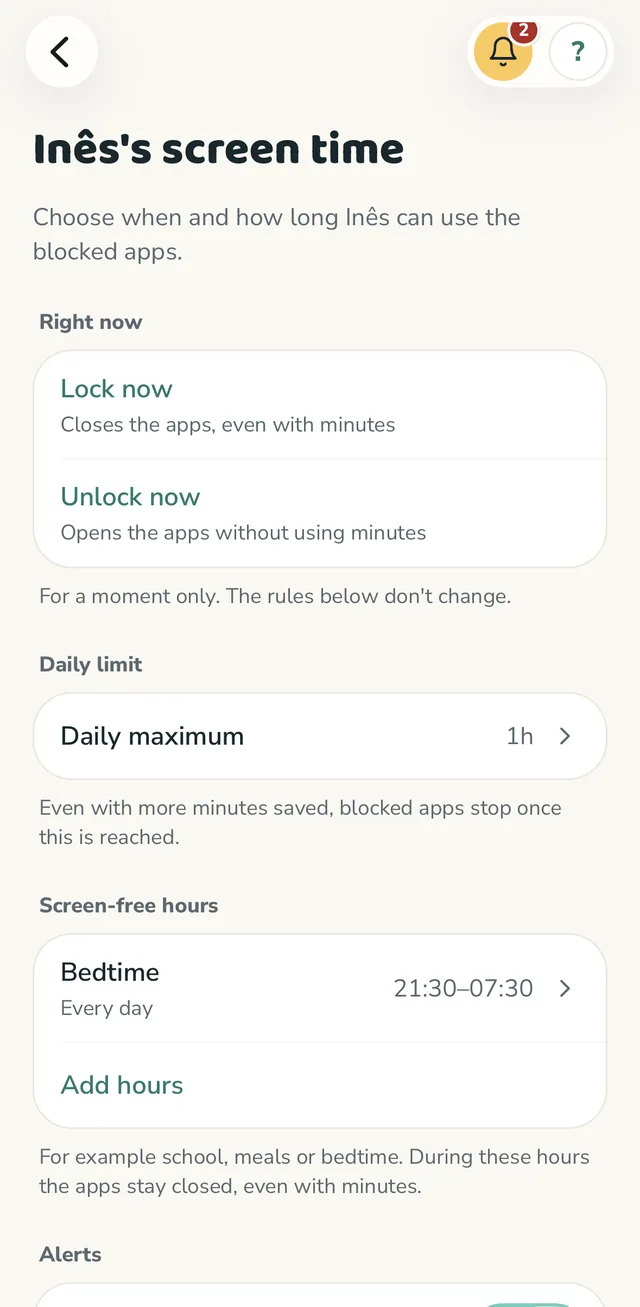
Rules
Set them once and stop negotiating. Blocking happens on your child's device, even with the app closed or no internet.
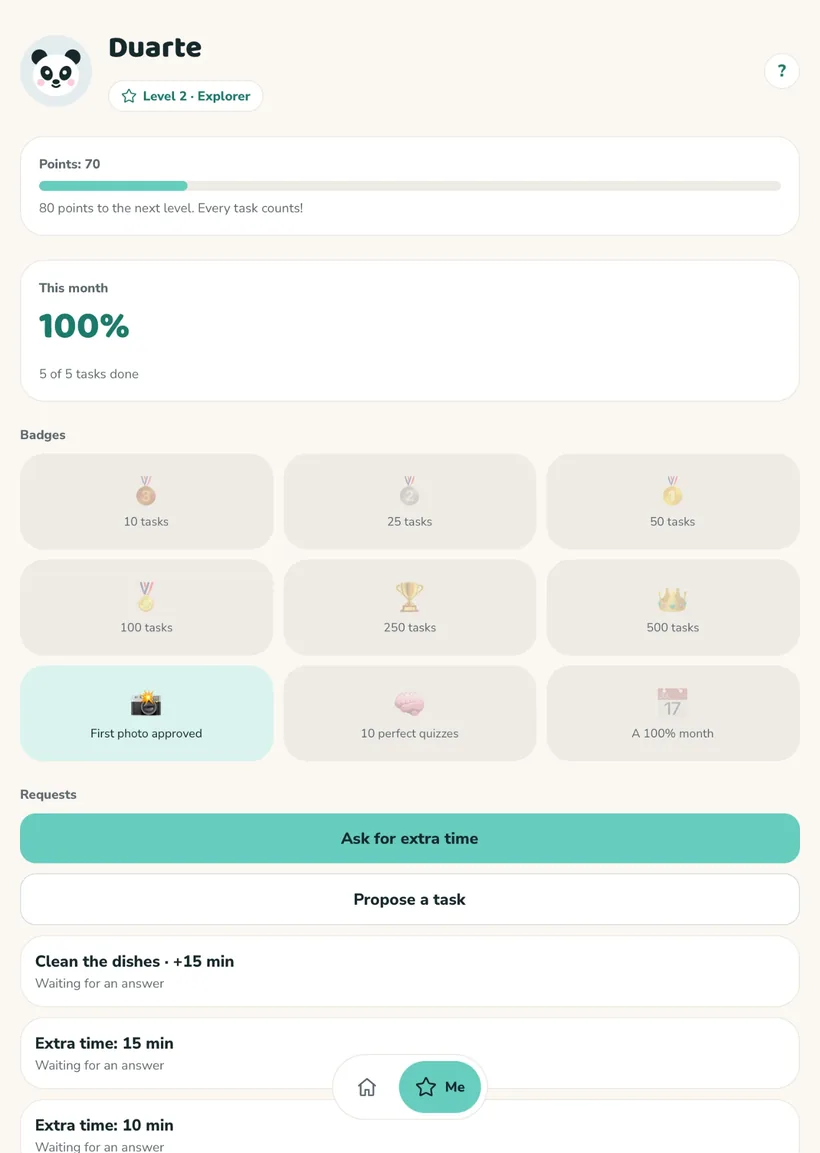
For kids
When an app is locked, your child sees why, how many minutes are waiting in their tasks, and a button straight to them.
Motivation
Kids collect badges and level up for every task. There are no daily streaks to lose, so one bad day never undoes a good month.
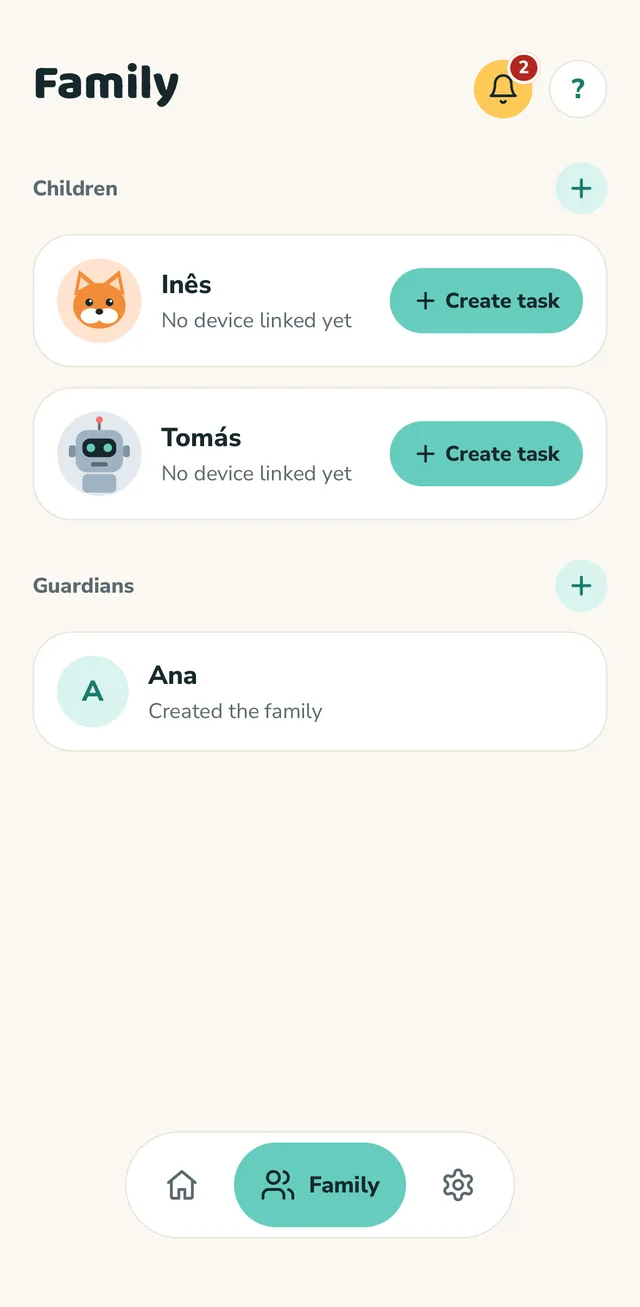
For the whole family
Mum, dad, grandparents, carers: everyone sees the same and can approve tasks. Approvals and requests appear as cards you clear in one tap.
Privacy
A first name, an avatar and a school year. Never an email, birth date, surname or location.
Private, and deleted automatically within 7 days at most.
We don't sell data, show ads or use analytics tools.
Delete a child or your whole account in the app, with all its data.
Pricing
Every plan: 14 days free, unlimited guardians, every feature.
Up to 3 children
€5.99/month
or €44.99/year
Up to 6 children
€8.99/month
or €64.99/year
Up to 10 children
€12.99/month
or €94.99/year
Prices in Portugal, VAT included. They may differ in other countries: the app always shows your store's price. Cancel any time in your App Store or Google Play settings.
Help
It's on the App Store for iPhone and iPad, and on Google Play for Android. On iPhone it uses Apple's Screen Time; on Android it uses accessibility and usage-access permissions.
Apple only allows blocking that a child can't switch off when their iPhone uses a Child Account in your Family Sharing group. The app guides you through it.
No. You link their device with a code or QR from your app. We never ask for an email, date of birth or surname.
Yes. Rules and unlocked time are stored on your child's device. Actions taken offline are sent when the connection is back.
On an iPhone with a Child Account, they can't remove the permission. On Android, you get an alert if permissions are removed, the clock changes or the phone stops checking in for 24 hours.
Only photos of study material and the school planner, to create quizzes and tasks. Photos of chores never go through AI. All photos are deleted within 7 days.
14 days free, then from €5.99 a month or €44.99 a year for the whole family. Cancel during the free trial and you pay nothing.
Yes. Invite other guardians with a link. Everyone sees the same and can approve tasks, at no extra cost.

Start your 14-day free trial today.